YouTube boasts around 2.5 billion monthly active users who spend an average of 48.7 minutes on the platform each day, and that inconceivably large audience is in reach for anyone willing to film and upload a video.
The YouTube algorithm is what stands between a video and the eyeballs that see it. It’s the gatekeeper to views, sifting through data to ensure videos find users most likely to view and enjoy them. When a video suddenly picks up steam and goes viral, it’s the YouTube algorithm that’s doing the legwork.
It’s a vastly complex algorithm that can be hard to keep up with, but having an overview of the basics can help.
YouTube needs a recommendation system to decide which of its 14 billion videos to suggest to each viewer. The algorithm comes in ranks content based on over 80 billion pieces of information called signals. These provide information on a user’s past viewing habits and the videos themselves. Signals range from the number of likes a video has amassed to the type of video a user has previously watched.
That’s why any number of accounts can see different results from the same search and receive recommended videos tailored to their personal YouTube history.
The YouTube algorithm helps users discover content in three main ways:
- Recommended videos
- Trending videos
- Search engine results
Each one works slightly differently.
YouTube recommended videos
Recommended videos are governed by user behaviour and aim to bring people more of what they like. As stated by YouTube: “To do this, we start with the knowledge that everyone has unique viewing habits. Our system then compares your viewing habits with those that are similar to you and uses that information to suggest other content you may want to watch.”
Signals include:
- Clicks
- Watch time
- Survey responses
- Sharing
- Likes and dislikes
YouTube reports that recommendations drive “a significant amount of the overall viewership on YouTube, even more than channel subscriptions or search.” Those recommendations are displayed either on your homepage or as suggested videos.
Homepage
The homepage is what you first see when you navigate to YouTube or open the app. At this point, the algorithm doesn’t know why you’re visiting, so its information is based on what you’ve viewed in the past. To curate your homepage view, YouTube combines personalised recommendations, new content from your subscriptions, and the latest news and information.
Suggested videos
Suggested videos show up once a video has finished. Since YouTube has some idea why you’re on the platform at this point, the algorithm considers your viewing habits, watch history, and videos that tend to be watched together or cover similar topics. This is all in an effort order to line up what it thinks you’ll go for next. For example, if you’re watching DIY tutorials, suggested videos will be skewed in that direction.
YouTube trending videos
Trending videos are updated every 15 minutes to show what’s new and popular in your geographic area. Though recommendations are personalised to each user, trending videos are about what’s popular among YouTube’s general audience. Each spot must be earned; there’s no paying your way onto trending.
A new Taylor Swift music video or Marvel movie trailer is guaranteed to get picked up, but unexpected viral videos can also earn spots. YouTube reports using the following signals for the trending algorithm:
- View count
- How soon video views are amassed
- Where views are coming from, with popularity in your specific region being especially valued
- Age of the video, newer being better
- Performance compared to other recent uploads from the channel
These are combined “to produce a list of videos that showcases what’s happening on YouTube while being relevant to our viewers and reflective of the content on the platform.”
YouTube search engine results
YouTube's search engine aims to display the most relevant results for your keyword searches, which are the terms you use to find specific content. The top results are not just the most viewed videos or those that exactly your search terms, since these might not be what you’re actually looking for. Instead, YouTube’s algorithm considers various signals to find videos that are most likely to meet your needs.
Key signals include:
- How closely a video’s metadata (including title, description, keywords, and content tags) relates to a search query term.
- How videos from a creator’s channel previously performed in terms likes, comments, and watch times.
Twinsterphoto/Shutterstock
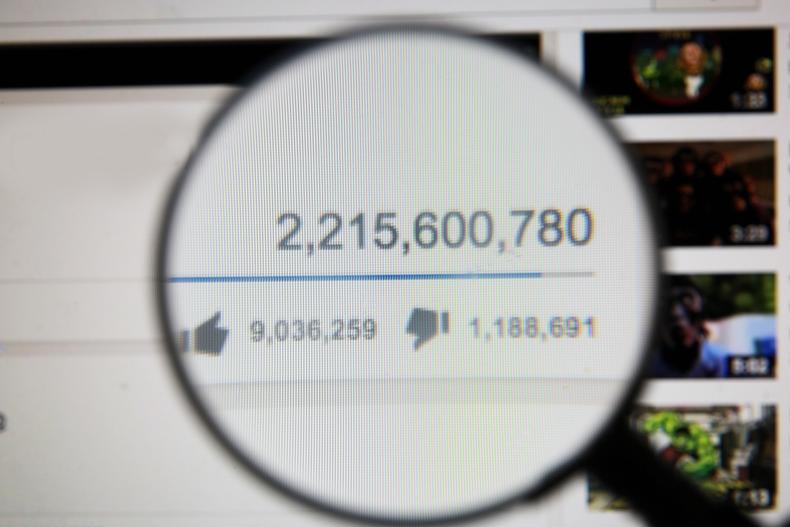
If you post a video and it receives an influx of views within a short timeframe, you can brag about going viral. While there’s no determining number for viral content, experts suggest between 2 million and 5 million views within a week of being posted counts. Other indicators include when a significant portion of the views come from outside your core audience or when users share your video on social media. The algorithm notices the high volume of traffic, then pitches in and promotes your video to more viewers.
YouTube explains: “Our algorithm doesn't pay attention to videos. It pays attention to viewers. So, rather than trying to make videos that'll make an algorithm happy, focus on making videos that make your viewers happy.”
Above all, create content that:
- Speaks to and entertains your audience
- Avoids fluff and gets straight to the point
- Features good picture and audio quality
- Provides something unique
Beyond producing quality content, here are eight tips to follow:
1. Use your words
Decide on your primary keywords, then use them in these four places to help prompt the algorithm:
- File name: Viewers don’t see the name of the video files you upload, but the algorithm does. For example, ‘sydney-acting-schools.mov’ will rank better than ‘352345.mov’.
- Title: Use natural and catchy language to title your video, such as ‘Which Sydney Acting School is Right for You?’
- Description: This quick summary of your video should include key terms within the first two lines. For example, “We're talking with students in Sydney about the best acting schools in their city and how to choose among them.”
- Video script: Upload this as a separate file alongside your video to create subtitles and closed captions. You’ll get a boost if you make your content more accessible.
2. Up your thumbnail game
Thumbnails (the small preview images on videos) also attract clicks, so make yours hard to resist without being clickbaity. Good practices include:
- Consistent style
- Arresting visuals
- Emotional facial expressions
- Occasional overlaid text
Custom thumbnails are the way to go, with 90% of the best-performing videos reportedly using them.
3. Pick a niche
Consistency is key for YouTubers. Popular creators often set up second channels for their different video styles or topics rather than breaking with expectations on their main account.
Immensely popular Australian fitness YouTuber Chloe Ting has a second channel for her non-fitness content, while gaming creator Lachlan has a second channel for more relaxed videos in which he discusses various topics while playing the game Fortnite. Pick a topic or niche that interests you, even if it’s a saturated subject, and give it your own spin.
4. Add calls to action
When a YouTuber implores you to leave a comment or subscribe, they’re using a call-to-action (CTA). Why? Because likes, shares, comments, and subscriptions show YouTube that this content is popular and nudges the algorithm to give it a push.
Include a CTA in your video to encourage viewers to interact with and explore more of your content. Placing the CTA at the end of the video is very effective since viewers are likely looking for what to watch next and it doesn't interrupt the main content. You can also take advantage of 5- to 20-second end screens to prompt viewers to comment, like, or subscribe. You can also add links to other videos, playlists, or your channel’s homepage.
Try closing your videos with short, static end screens featuring a CTA and a card (a clickable image you can link to a video, playlist, your channel, or an external site).
5. Use pattern interruptions
Grabbing someone’s attention is one thing; keeping it is another. This is where pattern interruption is useful. It simply means presenting regular visual changes to refocus a viewer’s attention, even when all you’re doing is speaking.
Examples include:
- Adding text, video, or image pop-ups
- Changing your background
- Changing camera angles or magnifications
- Chopping up longer shots into lots of smaller jump cuts
- Adding and pointing viewers towards clickable cards
6. Build a community
Establishing a personal connection with your audience makes them more likely to return, and all those return visits let YouTube know your channel and content are worth spotlighting. To build a community:
- Respond to comments
- ‘Heart’ and ‘pin’ your favourite comments
- Create new videos answering common queries or suggestions
- Use the community tab to offer updates, encourage direct participation through polls, or post memes your community might enjoy
- Consider holding livestreams to interact with viewers directly
7. Use shorts
Shorts (YouTube’s answer to TikTok videos) can be up to 60 seconds long and must be shot in the vertical 9:16 aspect ratio preferred by smartphone users. These bite-size videos can be baited with catchy hooks to introduce new viewers to your channel, even if your standard content is long-form. You can also break existing long-form content down into several short videos. Shorts reached over 70 billion daily views as of October 2023, so it’s a format worth experimenting with.
8. Know what not to do
YouTube’s algorithm can penalise content for poor practices: one wrong step could be the kiss of death for an otherwise popular video. To avoid this happening, ensure your titles and thumbnails are free from:
- Deception or clickbait that misrepresents your video
- Offensive language
- Vulgar, repulsive, or criminal imagery
- Gratuitous violence
- Lewd or sexually suggestive content
- Excessive use of CAPITAL LETTERS or punctuation(!!!) to overemphasise titles.