It doesn’t matter whether you’re shooting a Hollywood blockbuster or microbudget indie – mistakes happen. Crewmembers can drop a coffee. Audio tracks can become distorted. Cameras can hum too loudly. Actors occasionally fluff a line.
That’s where ADR audio saves the day. It’s what postproduction crews use to replace dialogue after the main filming wraps.
As an actor, recording ADR requires a special set of skills. Let’s explore what it involves and how even actors with no experience can ace their ADR voice acting.
JUMP TO
ADR stands for “automated dialogue replacement,” although it’s sometimes called “additional dialogue replacement” or “looping.”
Whatever terminology you use, ADR is simply dialogue recorded in a sound studio after filming has taken place.
Actors watch themselves performing, and then match new dialogue to the speed, sound, and movement of existing footage. Finally, sound engineers use those new recordings to replace the original dialogue.
Here’s a famous clip of Hugh Jackman recording ADR as Wolverine for Logan.
ADR vs. dubbing
ADR and dubbing both replace original dialogue, but the similarities end there.
- ADR: The existing actor records new material to replace imperfect dialogue captured on set.
- Dubbing: Replaces all dialogue with the same words but in a different language, usually using a new actor who speaks in their native tongue.
“Films hover around 30% ADR to 70% production sound, and some films need to replace 100% of the dialogue,” award-winning film and TV writer Jason Hellerman writes for No Film School.
Reasons for ADR recordings include:
Technical flaws
ADR means technical flaws, such as a distorted audio track, can be addressed without having to reshoot entire scenes. When this on-set recording featuring Gwendoline Christie proved unusable, she rerecorded her lines and a sound engineer synced it with the original.
Expletives
Productions may want a version for a lower age rating or an entirely clean-language alternative. ADR can record over expletives in the original.
Sigourney Weaver’s on-set F-bomb in Galaxy Quest, for example, is clearly dubbed over with the word “screw.”
Challenging environments
Some environments don’t allow for clear audio. Mad Max: Fury Road is a case in point. “So much of the movie was rerecorded in the studio,” says Kira Roessler, a member of the film’s sound team. “The cars and the trucks and the noise on set was so bad that it had to mostly be replaced.”
Background noise
Even closed sets can suffer from sound contamination – anything from unexpected traffic to audible generators. The Lord of the Rings, for example, famously required a ton of ADR because of overhead planes.
Story changes
ADR can even accommodate small story changes by adding new dialogue when the actor’s face isn’t shown. Blade Runner made such a change, as shown here, while Men in Black II used footage of two characters with their backs turned to try different jokes.
Usually the first thing you’ll do is watch the rough cut (or near-final cut) of each scene until you can match lip movement, timing, and tone. Once familiar with the assignment, here’s how it may play out.
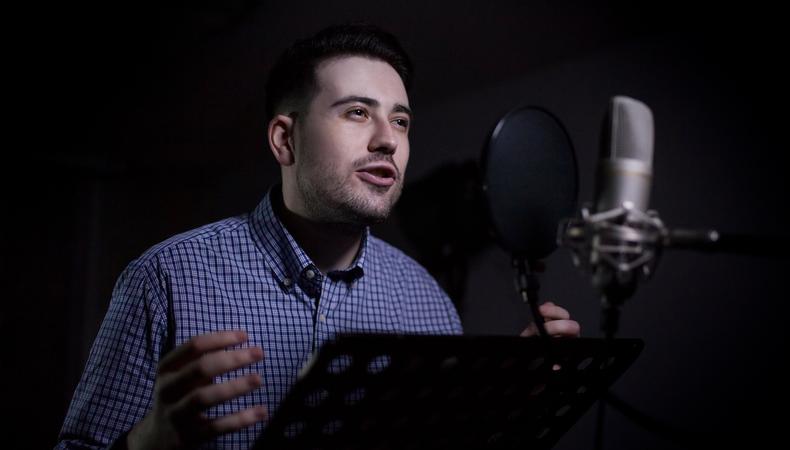
You’ll enter a recording studio to find:
- Headphones: They’ll play the original production audio to serve as a reference. Some actors like the guide track in one ear only while recording, while others like it only during prep. It’s up to you!
- Monitor: The monitor plays production footage to help you sync new recordings with on-set actions and lip movement.
- Sound-deadening materials: Curtains and sound-insulation panels may be moved during ADR to replicate different environments.
Once you’re ready, production footage starts playing and cues let you know when to talk. These include:
- Streamers: Vertical lines that wipe across the picture and are timed to exit the right edge of frame when your line begins.
- Beeps: Three short beeps count you in, with recording starting on the imaginary fourth beep.
Use those cues to internalise the dialogue’s rhythm and speak naturally into the gap. Cues are typically rehearsed a couple of times, and then three to five takes are recorded.
If timing must be precise, beeps and streamers may be dropped in favour of the listen-and-repeat technique, in which a line is played and the actor repeats it straight after.
1. Closely observe your previous performance.
Rewatching production footage at the start of an ADR session allows actors to home in on their original performance. This isn’t just about remembering lines or revisiting emotions. More technical aspects of your delivery should also be noted.
Things like:
- Timing
- Pitch
- Cadence
- Rhythm
- Breathing
If necessary, ask your sound engineer to replay the original until its performance can be duplicated.
2. Take the chance to improve (not just recapture) it.
“The best actors that come in to do postproduction sound work…want to try to improve [their] performance,” says post-production supervisor Michael J. Urann.
Marlon Brando reportedly mumbled intentionally on set just so he could improve his performance during ADR after seeing the final edit. Meryl Streep is another fan of ADR. “She’ll come in for a handful of lines, but she’ll talk to the director and ask to look at the whole scene,” ADR mixer Doc Kane told The Hollywood Reporter. “She’ll say, ‘I’d like to loop the entire thing because I think I can make it better’.”
3. Prepare for (and use) many takes.
“Sometimes the secret to great ADR is doing a ton of takes,” Hellerman writes. Appreciate the process, and then take advantage of all those takes. Know you can ease back into the character or throw in varied deliveries.
4. Recreate the scene’s physicality.
“I’ve had actors come in and do push-ups for a minute, just so they’re already out of breath so that their efforts are really authentic,” Urann says.
The Hugh Jackman clip above provides an extreme example, but even minor shifts in how you hold yourself will tighten different muscles and impact your voice and tone.
If you were sitting onscreen, sit during ADR. If you were hunched over, do that. If you were speaking during a thunderstorm, imagine you still are. Recreating as much of your performance as possible will help you recapture it.
5. Recreate the atmosphere.
Small details often help actors slip into a role they may have left months previously. Props can be added, lighting changed to recreate the original scene, and parts of the recording setup moved to replicate anything from a tiny room to a sprawling landscape.
Sound engineers may handle some of that, but it’s ultimately your job as an actor to request anything (within reason) that could help you get comfortable.
6. Cut out the noise.
Stray sounds can bleed into the mic even in controlled environments. Sometimes the actor is to blame, so don’t be that actor.
Wear clothes in which you can move around quietly and check for any jewellery that may jingle or jangle. If you’re holding a script, flatten its pages beforehand and avoid bringing it too close to the mic to avoid rustling.
7. Focus on the performance.
“The standard advice from experienced ADR supervisors is to chase the performance first and fix the sync later, because sync is an editorial problem and acting isn’t,” writes the team at DFI Rentals.
Additional dialogue must sync with the screen, but achieving that isn’t your main duty as an actor. Sound engineers have all sorts of technical tricks to make that happen, and they’re great at it! You’re an actor, so prioritise your performance and leave the technical stuff to the experts.