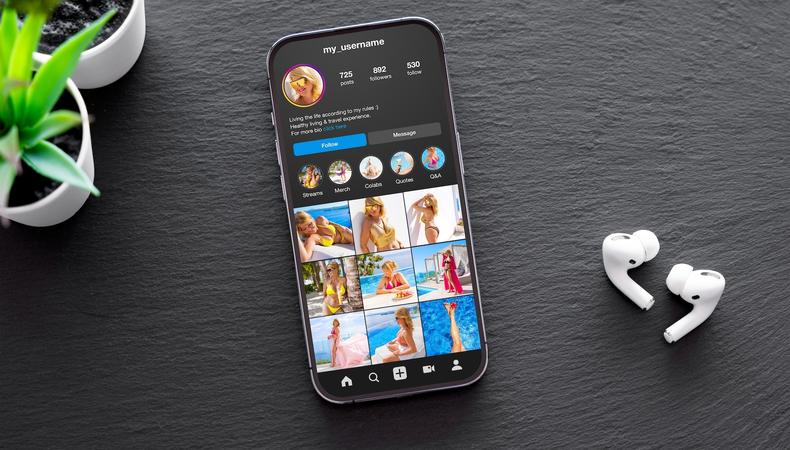
Are you a social media user dedicated to becoming an Instagram influencer or content creator?
Switching from a personal account to an Instagram creator account doesn’t just reflect those new ambitions – it provides tools to make them a reality.
- Detailed analytics for tracking performance
- Filtered DMs to simplify messaging with brands and fans
- Monetisation features to turn your passion into profit
Here’s a deeper look at what exactly you get and how you can make the switch, which is easier than you may expect.
JUMP TO
Most people on Instagram have a personal account. It’s all you need for networking with friends, following others, and posting everyday titbits.
“The default,” bundle.social’s Marcel Czuryszkiewicz calls it. “Private by choice, minimal features, no analytics. Fine for personal use, but limiting for anyone trying to grow or monetise.”
But if you’re trying to grow or monetise, you’ll want to upgrade to one of two types of Instagram professional account: an Instagram creator account or an Instagram business account.
There are obviously differences (which we’ll cover below), but both upgrade your account with:
- Analytics
- Contact buttons
- Category labels
- Ability to create ads
- API access to connect with third-party apps
Which should you choose?
Business accounts are primarily geared toward existing businesses in need of a social media presence, and individuals who use their Instagram account for professional purposes.
Creator accounts are specifically designed for influencers and content creators.
“If you use Instagram to share your creativity and build a following around your work, then an Instagram creator account (rather than a public personal account) might be right for you,” Mary Keutelian writes for Sprout Social.
As Hootsuite’s Colleen Christison puts it, a creator account is for “folks who want to monetise their personal brand.”
Benefits of a creator account over a business account
Full music access
Access Instagram’s full commercial music library, including trending songs from major labels. Business accounts miss out on many viral sounds since they’re limited to a considerably smaller pool of commercially cleared tracks.
Any paid user-generated content (UGC) commissioned by brands must stick to those commercially cleared tracks, even if you have a creator account.
Broader monetisation options
Monetisation for business accounts revolves around Instagram Shop. It’s great if you’re starting an Instagram to sell products, but most influencers and content creators draw on a wider range of ways to make money on Instagram.
Creator accounts help that happen with subscriptions and gifts enabled to bring in support directly from fans and followers.
1. Improved monetisation
Most aspiring influencers dream of turning hard-won views, likes, and follows into a legitimate side hustle or even a full-time job.
Developed with such financial goals in mind, creator accounts give influencers even more tools to make money on Instagram.
Shoppable tags
Tag products used in your content and followers can click from that tag to a product description page and make a purchase, earning you an affiliate percentage in the process. Influencer Jasmin Kaila made $1,585 (about £1,200) in her first month simply by tagging her outfits.
Instagram Creator Marketplace
Creators with over 1,000 followers can list niches and showcase portfolios for brands seeking content partnerships, which is something Instagram head Adam Mosseri estimates is worth “well north of $10 billion a year on Instagram.”
Subscriptions
Creators with over 10,000 followers can monetise content directly by offering subscriptions to exclusive content plus special perks. Entrepreneur Julia Broome made over $10,000 (£7,300) from 1,320 subscribers in September 2025 alone.
Instagram Gifts
Having at least 500 followers means users can show appreciation for your Reels by sending virtual gifts (Stars) that can be converted to real money. Mosseri says they’re a great way for Reels creators to gauge people’s willingness to pay for content.
2. Insights
“If you don’t have data, you’re just posting to post and hoping the algorithm likes you,” says Insta expert Mandy Rose. “Likes are cute, but insights are what get you paid.”
Creator accounts bring you that invaluable data through a suite of analytics, including:
- Performance data on Stories, posts, and Reels, such as engagement, total views, and follower growth
- Audience demographics, such as age, gender, location, and when they’re online
Professional creators use that data to track what’s resonating and with whom. They then fine-tune content for maximum impact.
Whether you’re aiming to get more followers on Instagram or boost your Insta engagement, Insights are the crucial tool to understand what’s helping and what isn’t.
3. Ads
The Meta Ads Manager can run ads from your Instagram account on both Instagram and Facebook. You set a goal, target the right audience, set your budget, and then launch the campaign. It’s not for everyone, but there’s fantastic potential for reaching new audiences and possibly going viral on Instagram from a particularly well-targeted campaign.
4. Category labels
“For creators, being specific with your category can allow you to niche down and find your community,” Christison writes.
Creator accounts oblige by letting you choose from over 45 categories to describe who you are and what you do, such as “actor,” “artist,” “influencer,” and “content creator.” That info appears right below your name, which means visitors to your profile can immediately decide whether to learn more.
5. Filtered inbox
Influencers can have very busy inboxes, so creator accounts help you keep track of the important stuff by dividing DMs into a:
- Primary tab for high-priority chats that give push notifications for every new message
- General tab for conversations that are worth keeping but don’t require immediate notifications
- Requests tab for DMs from people you don’t follow, filtered by “top requests” from larger accounts and “standard requests” for the rest
- Partnership tab for brand collaboration messages sent via Creator Marketplace
6. Improved discovery
Photos and videos from Instagram personal accounts aren’t generally indexed by search engines such as Google and Bing.
Not so after switching to a creator account. Photos and videos from Reels and posts now appear in search-engine results (although you can turn it off if you want), giving people outside Instagram a chance to discover your content.
7. API access
API (application programming interface) access allows third-party software to integrate directly with your Instagram account. Software from companies such as Later, Sprout Social, Buffer, and Manychat allow you to:
- Schedule posting and publish posts automatically
- Explore a range of analytic tools to track performance
- Automate some DM and comment replies
Don’t worry – not everything is automated! Those tools simply help free up time and energy that could be better spent on creating content and engaging with your community.
Via the Instagram app
- Navigate to your profile by tapping the Profile icon at the bottom right or your profile pic.
- Tap “More” (☰) to bring up “Settings and activity.”
- Scroll to “For professionals,” and then tap “Account type and tools.”
- Select “Switch to professional account,” and then tap “Next” to confirm.
- Choose what category best defines you, and then “Switch to professional profile.”
- Select “Creator,” and then tap “Next.”
Via Instagram.com
- Log in to your account.
- Click “More” (☰) and select “Settings.”
- Scroll to the “For professionals” section, and then select “Account type and tools.”
- Click “Switch to professional account.”
- Select “Creator,” and then click “Next.”
- Select your category.
- Click “Done,” and then confirm by clicking “Continue.”