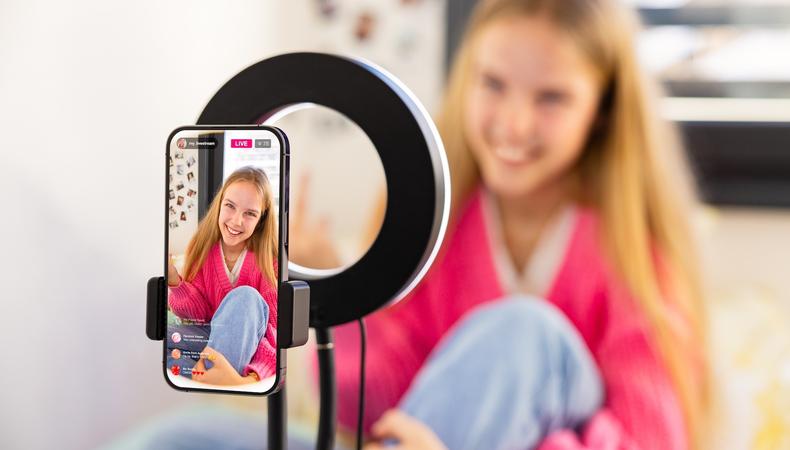
Can going live on TikTok be scary? Yes. Hit “Go Live” and people will be watching in real time. No chance to edit out mistakes – just pure, unfiltered you. Can it also be a fantastically effective step toward becoming an influencer on TikTok? Absolutely! By learning how to go live on TikTok, you can:
- Connect directly with your audience
- Answer questions and receive feedback in real time
- Improve the performance of your organic posts
- Earn money via Live Gifts
Over time, benefits compound while your nerves wear off. You may be like Nicola from @nicsidehustles and find the top benefit of going live is the confidence it imparts. “I was a really shy, introverted person who was terrified to put myself out there in fear of judgement and embarrassment,” she says. “I’m not like that anymore.… I’m in my TikTok era, and I’m here for it.”
Ready to start reaping the benefits of your own TikTok era?
In order to stream on TikTok, you must:
- Be at least 18 years old (confirmed via ID and selfie, credit card, or facial estimation)
- Have at least 1,000 followers (exactly how many followers you need to go live on TikTok occasionally varies by market when TikTok runs limited regional pilots, but 1,000 is typical)
- Have an account in good standing that follows TikTok’s community guidelines, creator code of conduct, and terms of service.
Credit: Camilo Concha/Shutterstock
How to stream on TikTok through the app
- Open the TikTok app on your iPhone or Android.
- Tap the + button at the bottom.
- Swipe along options at the bottom and tap “Live.”
- Add a title and cover (such as a thumbnail for your stream).
- Choose a topic category (such as gaming or beauty).
- Select who can watch.
- Tap “Go Live.”
When you’re ready to wrap up, tap “End Live” and then “End Now.”
How to go live on your desktop PC
- Download TikTok Live Studio.
- Log in using your TikTok account.
- Use the setup wizard to test your camera, microphone, and internet connection.
- Add your sources (such as game capture card, screen capture, webcam, and smartphone).
- Add a title and cover.
- Choose a topic category.
- Select who can watch.
- Click “Go Live.”
End the stream by clicking the red “End Live” or “End Show” button, and then clicking again to confirm your choice.
1. Interact
Going live happens wholly on your terms, but live sessions should be two-way conversations between yourself and your audience – not one-way presentations.
Create an engaged TikTok Live session by:
- Greeting viewers and acknowledging them by name (if possible)
- Asking questions
- Responding to comments
- Making eye contact by looking into the camera lens (try pretending it’s a friend’s face)
- Shouting out viewers who send GIFs, start following, or contribute gifts
- Shouting out top fans
- Keeping your energy level high (TikTok recommends “avoiding prolonged inactivity, static or looping visuals, or content that isn’t actively directed by you”)
Viewers will know their presence and input is valued, encouraging further interactions and building the deep, personal connections behind strong online communities.
Added plus: Higher engagement encourages the algorithm to promote your stream.
2. Utilise TikTok’s Live features
Effects and filters can entertain your audience and help set the right tone for your Live, while features such as Live Q&A and Live Polls help with engagement.
TikTok even offers several content playbooks that cover “a variety of content ideas, complete with talking points and even interactive features.”
For collaborations, choose:
- Multi-guest to host up to nine guests
- Co-host to go live at the same time as another creator and participate in challenges, such as a live match
If nothing else, familiarity with each feature can be valuable when you’re applying for paid TikTok content jobs.
3. Start strong
“TikTok prioritises livestreams that generate high engagement in the first few minutes,” Terence Carvalho writes for Delivered Social.
Ditch those awkward early “ums” and “ahs” and start your livestream ready to engage, even if only one or two people show up.
You could:
- Introduce yourself and your account
- Recap a recent video
- Ask an easy icebreaker (“Where are you watching from?” or “What’s some great advice you’ve heard recently?”)
- Pin comments incoming viewers can reply to
- Launch a TikTok Live poll immediately
- Start with a goal (e.g., “Let’s get 200 likes in the first five minutes!”)
4. Plan ahead
“Set the intention for your livestream,” says TikTok strategist Keila Shaheen. “It’s always great to have a clear idea of what you want to showcase and talk about.”
Decide on a purpose to structure each session around. According to TikTok marketing agency The Short Media, high-performing live formats include:
- Tutorials
- How-to sessions
- Unboxings
- Q&As
- Demos
- Limited-time sales
- Co-hosts
- Entertainment-led shopping
Use clear, engaging titles to let people know what the Live is about, and remember to factor in a final few moments for a call to action (such as following your account).
5. Complement existing content
Knowing what to stream about is fairly easy when you’re selling products. Beyond that, it’s not so clear-cut. The key is to combine the real-time nature of Live with your current content ideas and niche.
Do you create comedy skits? Go behind the scenes and explain your process. Are you an artist? Livestream your next creation to offer followers a peek at your process. Fitness influencers can stream a gym session, food influencers can stream meal prep, and beauty influencers can stream makeup routines.
Whatever your niche, a Q&A about your industry will likely be expected, so factor that in.
6. Prepare
Posting a few hours before going live lets audiences know when to turn up. Add a Live countdown sticker and viewers can even get a reminder right before you hit “Go Live.”
When there’s around 30 minutes to go, perform a final check that covers:
- Lighting and camera setup
- Audio levels and background noise
- Internet connection
Blundering through technical issues during those vital first few minutes could leave you feeling distracted and flustered.
7. Choose a moderator
“People will troll you, and you just have to not take it personally,” says UK TikToker @ocoeesworld.
People may be mean, make inappropriate or harassing comments, or attempt to make you read out things that’ll get you in trouble. This is a regrettable (but manageable) fact of online life.
Resist the urge to turn off comments. It’ll kill your engagement. Instead, filter problematic words and terms before going live, and then appoint a moderator during the stream to deal with trolls while you concentrate on hosting.
8. Turn on Gifts and offer subscriptions
Fans can send virtual gifts during your TikTok Live session. TikTok turns them into Diamonds, and then you turn Diamonds into cash. They’re worth only about one-third of a penny each, at $0.005 (£0.0037), but those fractions of a penny can add up. In 2024, one creator reported making over $100,000 (about £73,000) a year purely from livestream Diamonds. Collect enough and you’ll be rewarded with added visibility, so ensure that they’re toggled to “on” in your settings!
Live subscriptions are another monetisation option that helps build a deeper sense of community. You receive multimonth payments in exchange for exclusive perks, such as:
- Custom emotes
- Badges
- Sub-only chats
If you’ve streamed live for at least 30 minutes in the past 28 days, you’ll be able to set up subscriptions through Creator Tools or TikTok Studio.
9. Know when to go live
Here’s a general look at peak UK times compiled by The Short Media:
- Weekdays 7 p.m. to 10 p.m.: Highest-revenue window when people want entertainment; good for tutorial videos, try-ons, and lifestyle Q&As
- Weekdays 12 p.m. to 2 p.m.: Lunchtime – good for fast-purchase-and-snack segments
- Weekends 10 a.m. to 2 p.m. and 6 p.m. to 9 p.m.: Offers “stellar live shopping performance as users spend greater time using TikTok informally.”
Of course, finding your personal right slot may require experimentation. Gaming communities, for example, may skew later in the day.
“This is not a black-and-white answer,” says Emma from @emmattshop. “There’s people who go live throughout the day and still see really good results. I genuinely think you kind of have to pick a time and see how it works for you.”
Keep an eye on views and track your analytics, and you’ll eventually find the sweet spot around which to build your TikTok Live community.